DVB Inspector
Digitalekabeltelevisie.nl
User manual
Tree view - PIDs
This section of the Tree is only shown when the option "PSI only" in the Tree View menu is NOT enabled.
In this section each PID is represented, independent of the PSI information. That means some PIDs that are not present in the PSI are still shown.
For ease of recognition each PID gets assigned a name, based on the PSI information. This can look something like 'Video MPEG2 - Nederland 1'. From the PSI it is concluded this PID contains the video for service 'Nederland 1'.
Transport packets
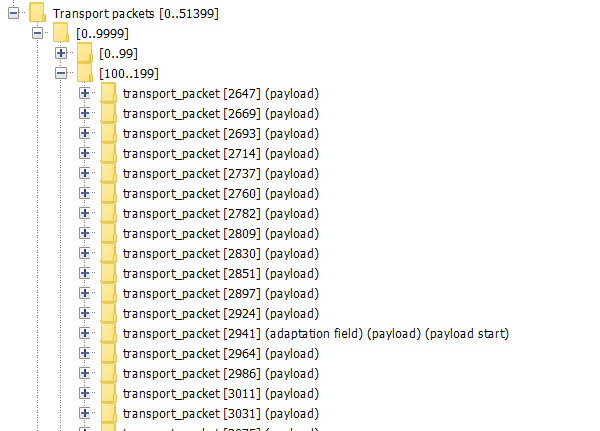
Under Transport packets the TS packets for this PID are grouped together.
See the section on TS Packets for more details.
PSI Data
PSI data can be shown as raw tables, without interpretation. This is enabled in the settings menu. This may assist in analyzing some private tables (like Conditional Access tables). Sometimes a PID appears to contain PSI data, but not a valid table structure. For some types of private data this may result in a lot of 'false' tables, which can use a lot of memory. Then it can help to disable Generic PSI parsing.
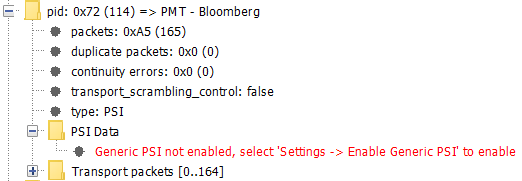
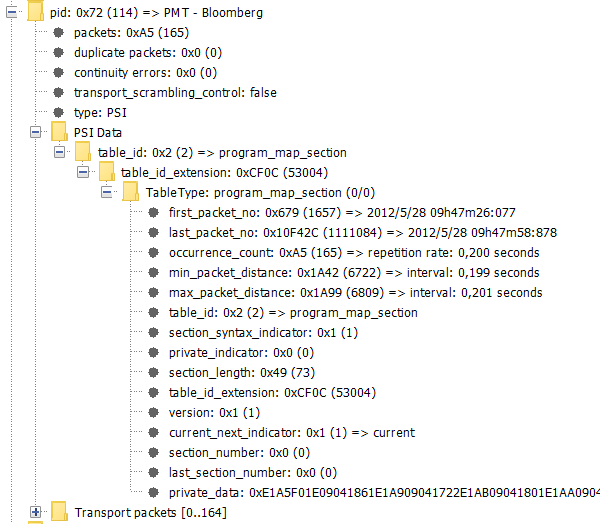
After enabling generic PSI the section will be displayed like this:
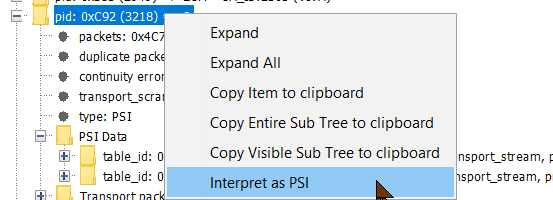
Interpret as PSI
Sometimes unknown PSI tables are present on 'strange' PIDs. These may be used for
when the signal is retransmitted on a different network to replace the original PSI.
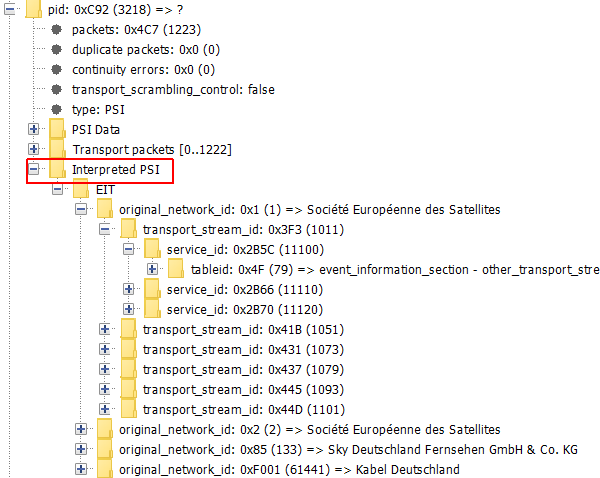
In this example info is present on PID 3218;
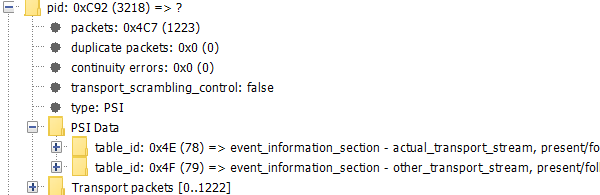
The table_ids match that of EIT, but it is not on PID 18. So it will not show up in the PSI section of the Tree view.
DVB Inspector can be forced to interpret PSI data, based on just the table_id by selecting 'Interpret as PSI'.
The result will show the PSI as if it was normal part of this stream.
PES Data
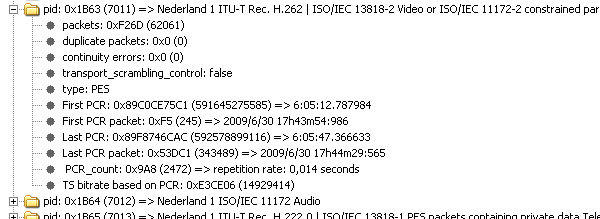
For PES data the stream_id is used as
indicator what type of data we are dealing with. When the data is
not encrypted some more general information is shown.
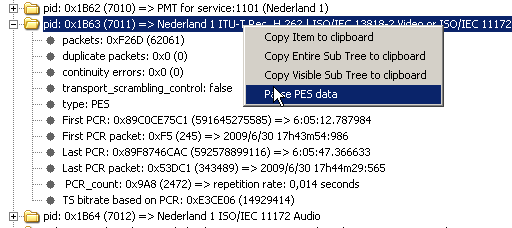
Some types are (partially)
supported for detailed inspection. To use this, select the PID to
be inspected, right click, and select 'parse data' from the
popup menu. This will take a few seconds while DVB inspector
rescans the file. Then an extra sub folder 'PES Data' will be
added to the PID. Supported data types are MPEG2 Video,H.264
Video, H.265 Video, H.266 Video, MPEG2 Audio, AC3 & E-AC3 (Dolby) Audio, AAC
Audio, EBU Data (Teletext, VPS and WSS), DVB subtitles and Timed Text
Markup Language (TTML) subtitling.
Although T2MI data is not PES data, parsing it is supported by DVB Inspector.
Video MPEG2 (ISO 13818-2 / H.262)
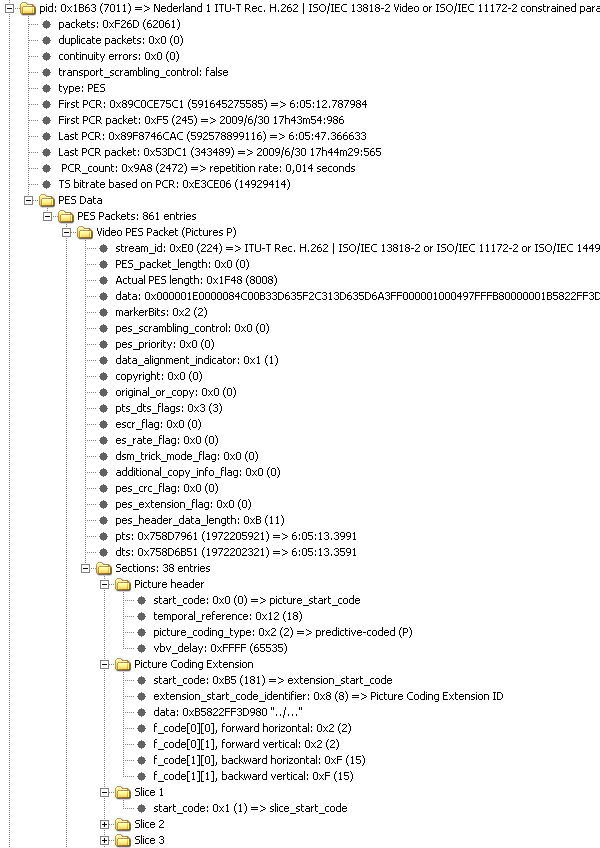
Above an example of a MPEG2
video stream. This stream has one frame per PES Packet, sometimes
streams have an entire Group Of Pictures per PES packet (see
below), or even one single section.
Frame structure
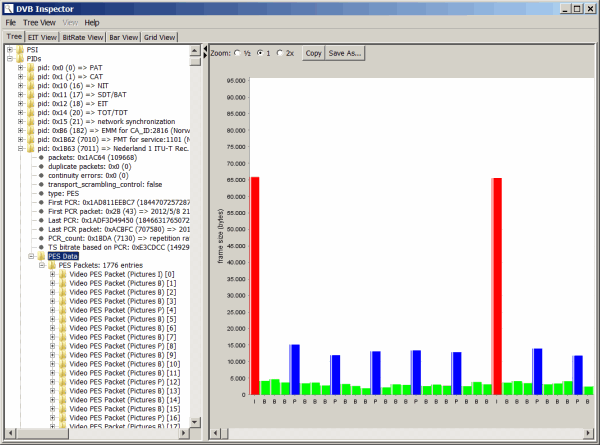
When the "PES Data" node is selected for a MPEG2 video stream the right
panel will show a graph with the size and transmission order of the different frame types (IBP).
Preview
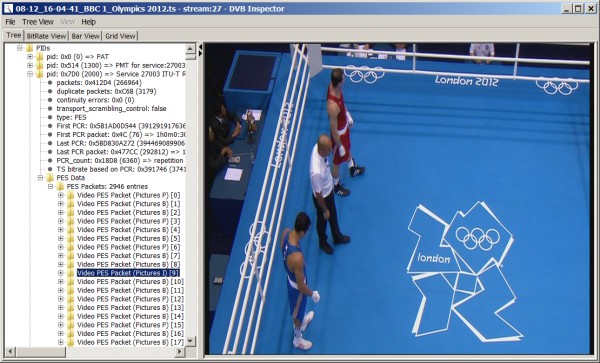
When a PES packet is selected which contains an I-Frame
(or of Group Of Pictures containing an I-Frame) a preview of the
I-Frame will be shown in the right panel. This preview has the
same dimension in pixels as the MPEG-frame, so aspect-ratio
information is ignored.
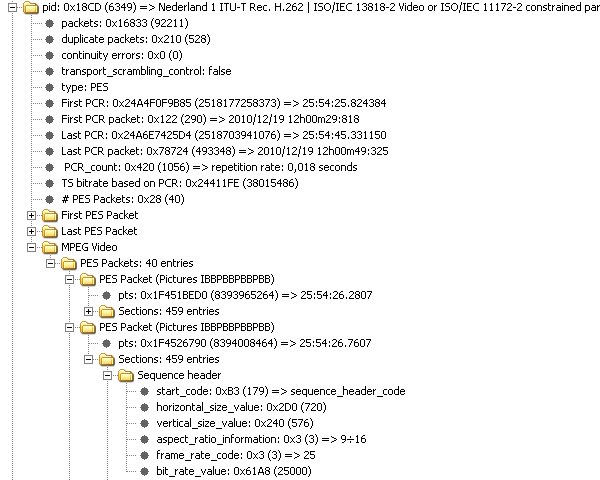
Video H.264

Above an example of the
structure of a H.264 (or ISO/IEC 14496-2) video stream.
Frame structure
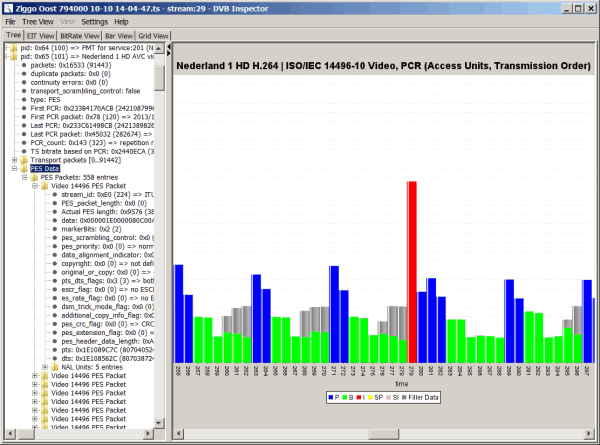
When the "PES Data" node is selected for a h.264 video stream the right
panel will show a graph with the size and transmission order of the different Access Units (incl. Filler Data).
Multi View Coding (MVC)
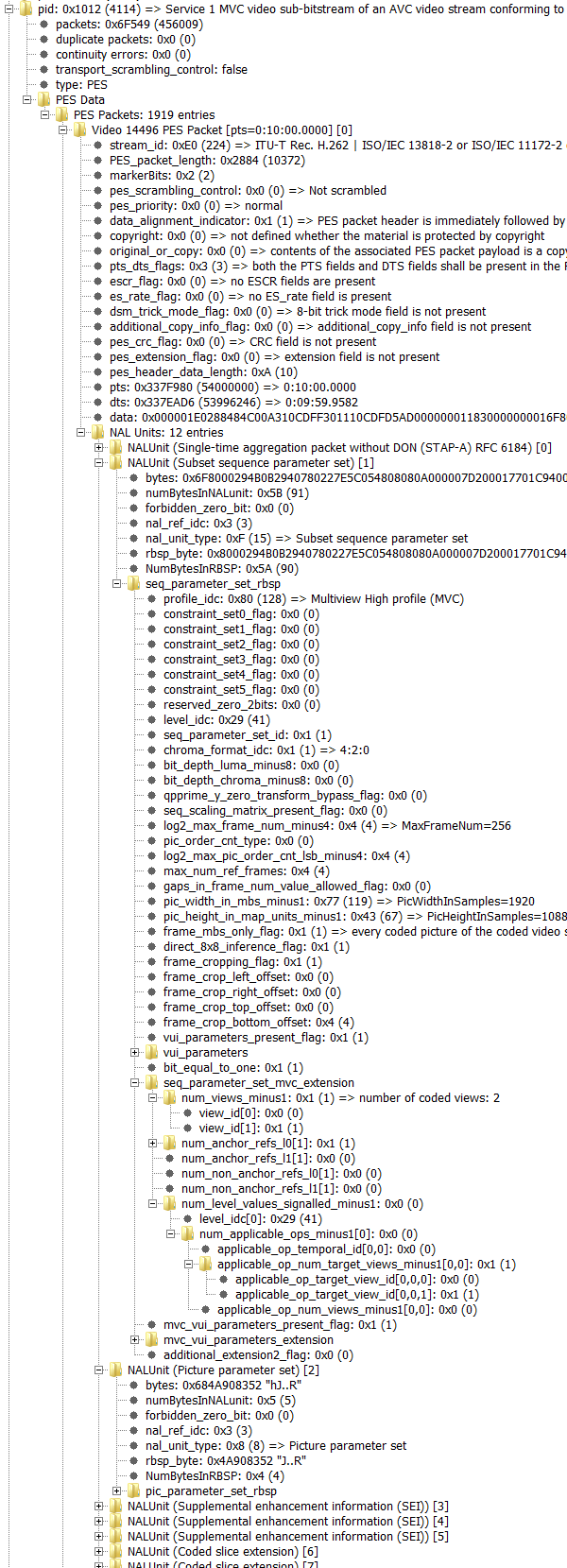
This is an example of a MVC (Multi View Coding) H.264 video stream.
This is used for 3D video. It can be found in .ssif files on a Blu-ray disc.
Video H.265 (HEVC)
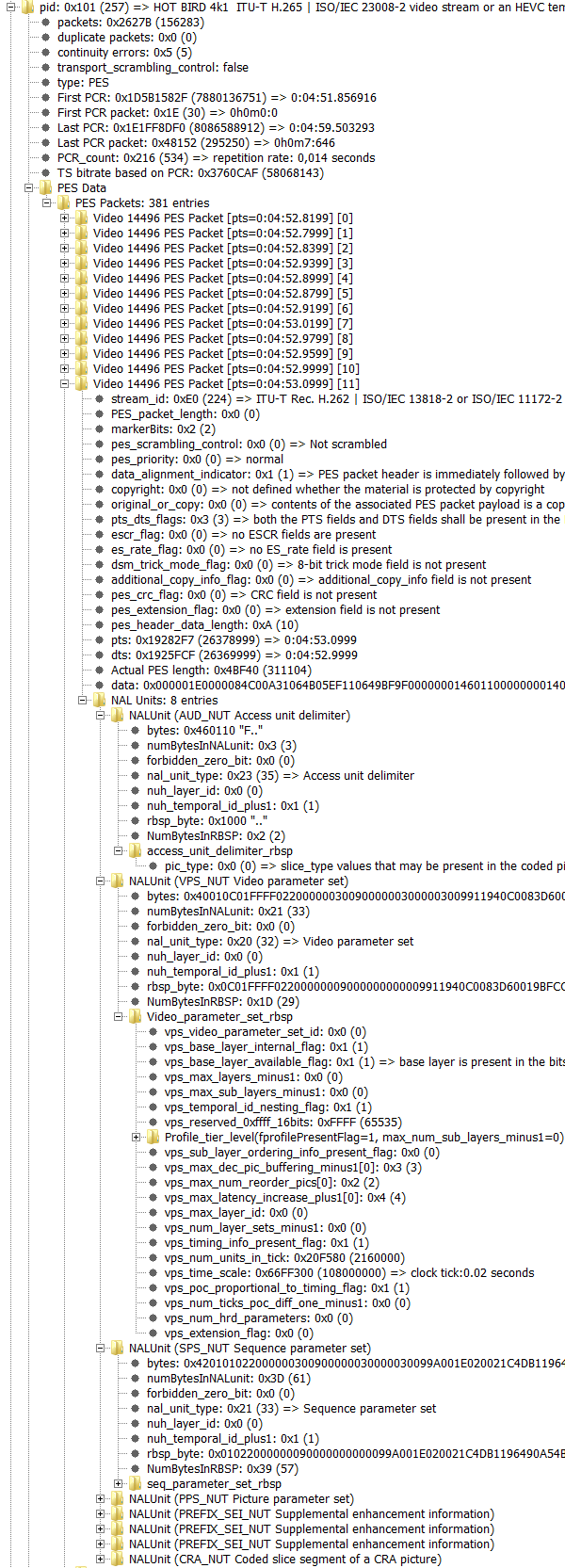
Above an example of the
structure of a High efficiency video coding (HEVC), or H.265 /ISO/IEC 23008-2 video stream.
Frame structure
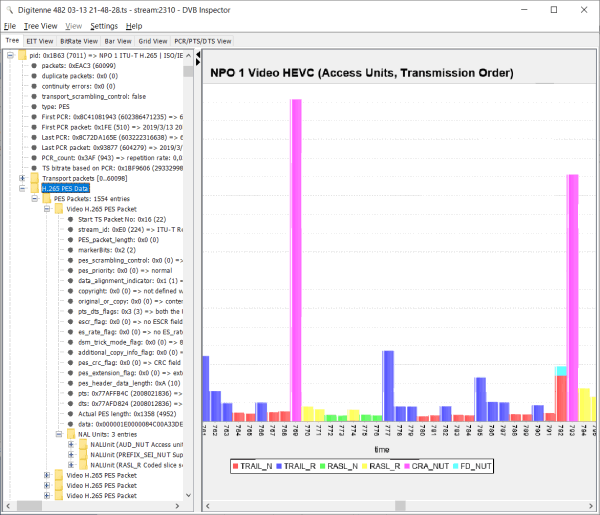
When the "PES Data" node is selected for a h.265 video stream the right
panel will show a graph with the size and transmission order of the different Access Units (incl. Filler Data).
Video H.266 (VVC)
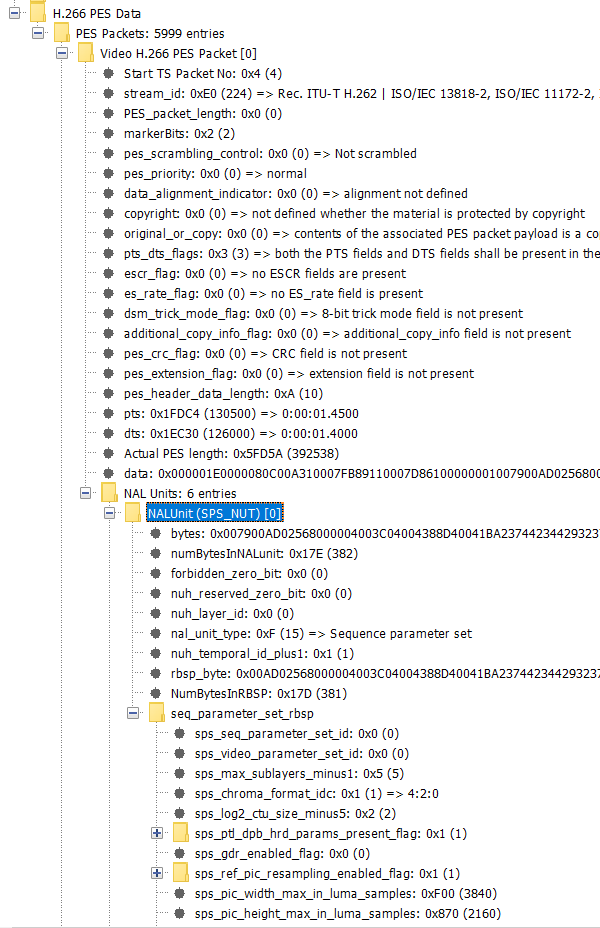
Above an example of the
structure of a Versatile video coding (VVC), or H.266 video stream.
Frame structure
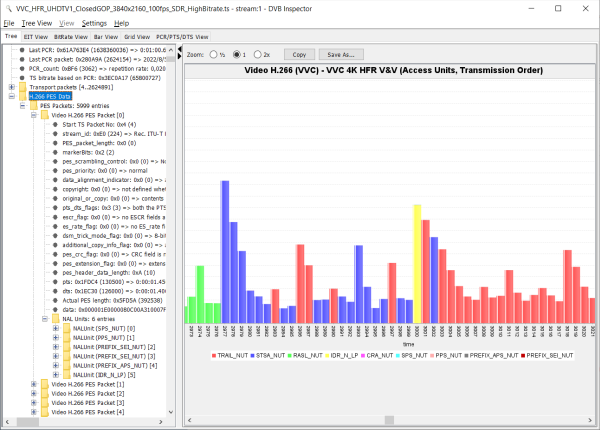
When the "PES Data" node is selected for a h.266 video stream the right
panel will show a graph with the size and transmission order of the different Access Units (incl. Filler Data).
Audio MPEG
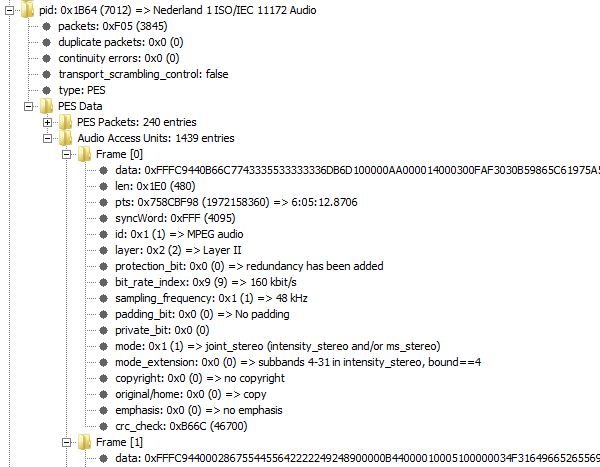
Example of the audio packets for
TV service Nederland 1.
Graph
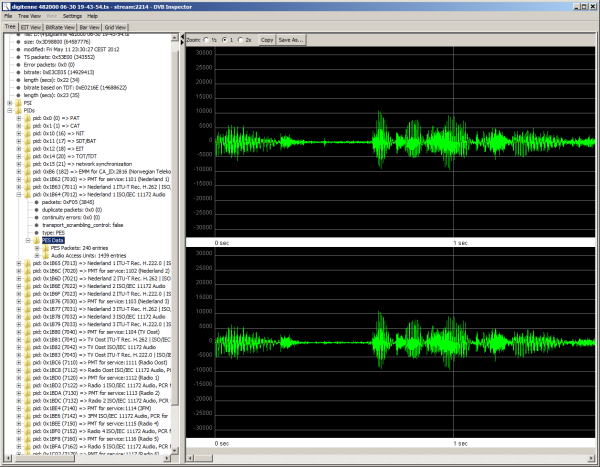
When the "PES Data" node is selected for audio MPEG stream the right
panel will show a graph of the audio wave form.
Play audio
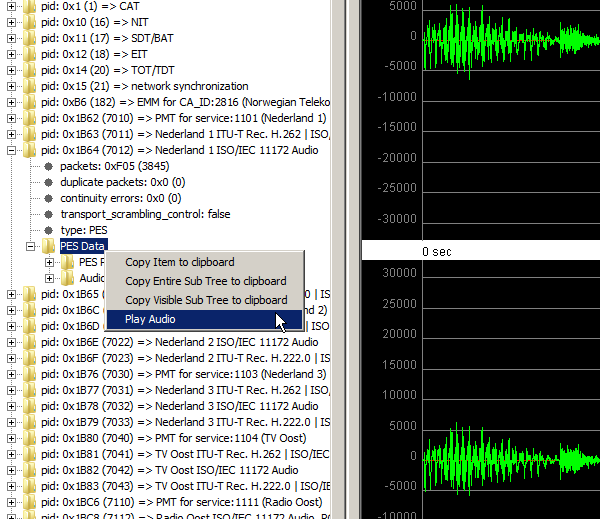
When the right mouse button is clicked while the "PES Data" node is selected, the audio will start playing.
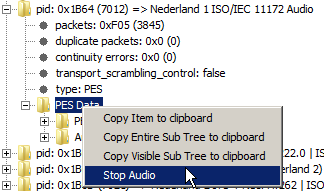 While the audio is playing the menu item will change to stop.
RDS via UECP
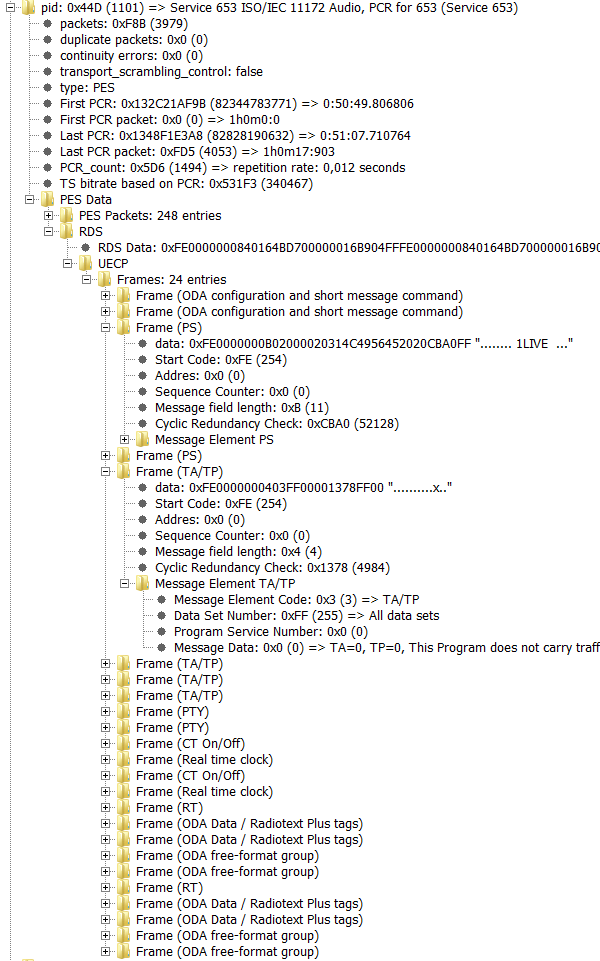
For audio streams where a ancillary_data_descriptor in the PMT
indicates the presence of "RDS via UECP" data the UECP data is
shown.
Audio AC3 & E-AC3
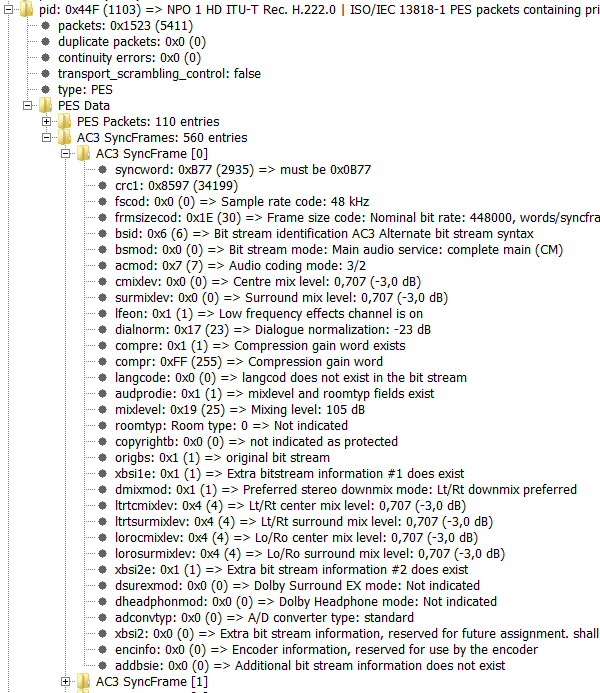
Above an example of a AC-3 audio stream. AC-3 streams are recognized when they are indicated by a AC-3 descriptor in the PMT (as described for DVB), or by a registration descriptor with value "AC-3" (as described for ATSC)
Audio AAC (ISO/IEC 14496-3 Audio with the LATM transport syntax)
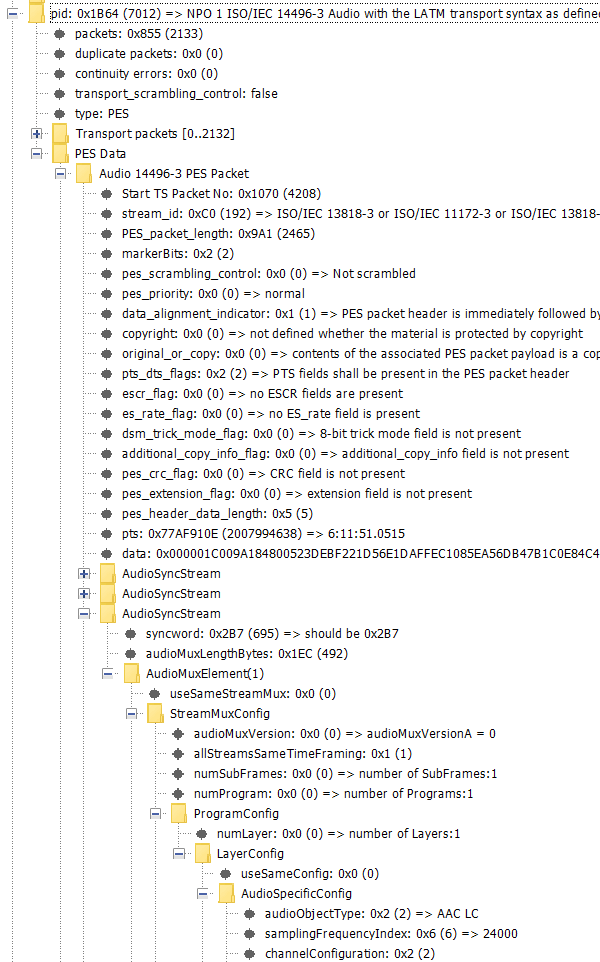
Example of AAC Parsing. Detection of Spectral band replication (SBR) as used in HE-AAC is not yet supported.
Audio Dolby AC-4 ()
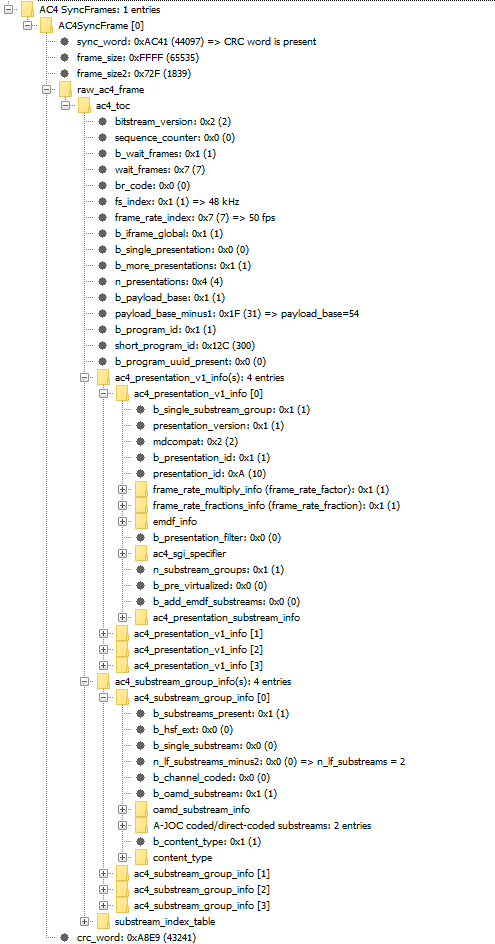
Above an example of a
Dolby AC-4 audio stream. AC-4 streams are recognized when they are indicated by a AC-4 extension descriptor in the PMT
EBU Data / Teletext / VPS / WSS
This shows data for PIDs that contain Vertical Blanking Information (VBI) according to EN 301 775. For streams of type 'private_stream_1', and the first byte of the PES packet (data_identifier) is between 0x10 to 0x1F or 0x99 to 0x9B. Be carefull, sometimes other private data is wrongly interpreted as EBU data, so the displayed information will be meaningless.
Sometimes teletext, VPS and WSS information is transmitted within a single PID, sometimes different PIDs are used.
In this section first the PES packets are shown in the order of transmission (the "RAW" data), then the interpretation of the EBU data is shown for teletext, VPS and WSS data.
Teletext
Remember this is not a teletext decoder for viewing pages as they should be presented, but an analyzer, to show the logical structure of the data. For the details of teletext see EN 300 706.
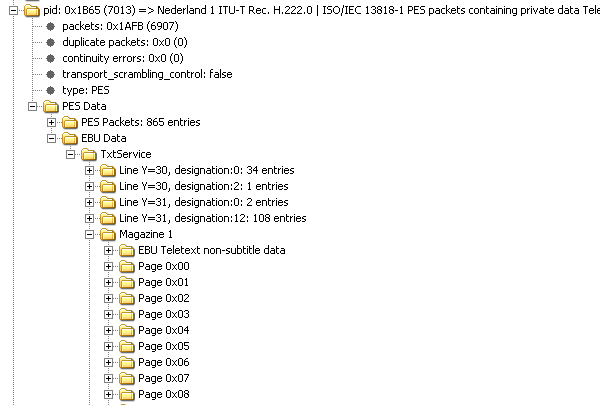
A teletext service is
organized into 8 magazines, numbered from 0 to 7. Magazine 0
contains the pages shown with page number 800. Each magazines can
contain 256 pages, numbered from 0x00 to 0xFF. Each page can have
sub pages. Teletext data is transmitted line by line(packet). Most
lines belong to a specific page, but some belong to a magazine, or
just to the entire service.
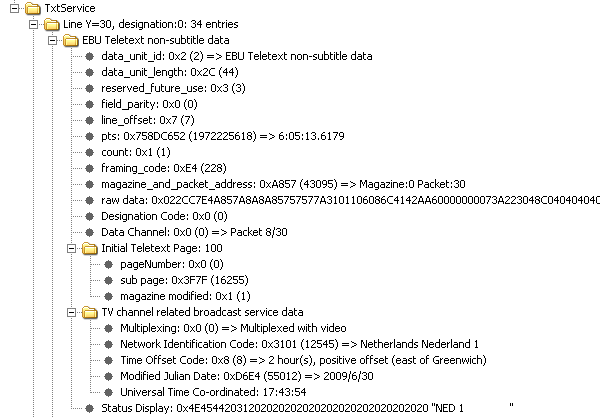
Lines with packet address 30 and 31 belong to the service. Line
30, designation code 0 identifies the initial teletext page, and
identifies the station. It also contains the actual time for PDC.
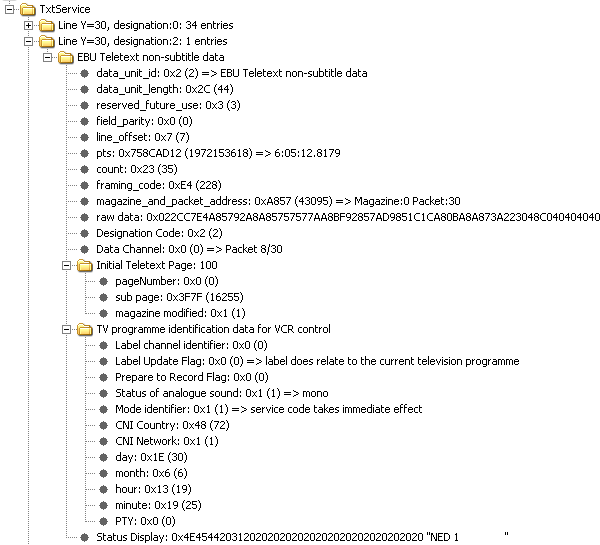
Line 30, designation code 2 identifies the initial teletext page,
and identifies the current program for PDC. Lines with packet No
31 are used for private data broadcasting.
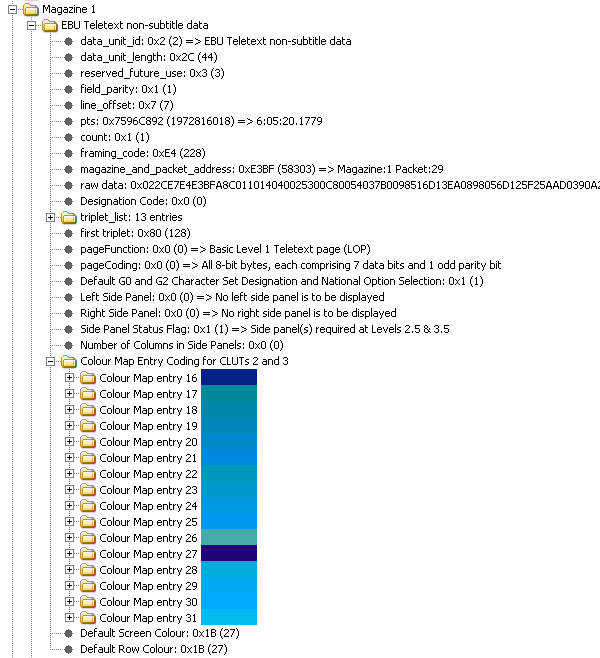 This is
some of the data for magazine 1. First is the line 29, which
contains magazine related page enhancement data. It defines the
background color for this magazine, to be used for level 2.5
decoders.
This is
some of the data for magazine 1. First is the line 29, which
contains magazine related page enhancement data. It defines the
background color for this magazine, to be used for level 2.5
decoders.
Page
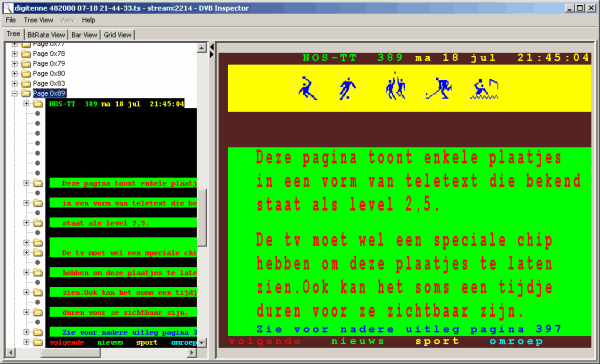
When in
the tree a page (or sub page) is selected a preview of that page
is shown in the right panel. Teletext level 2.5 is (partially)
supported in the preview.
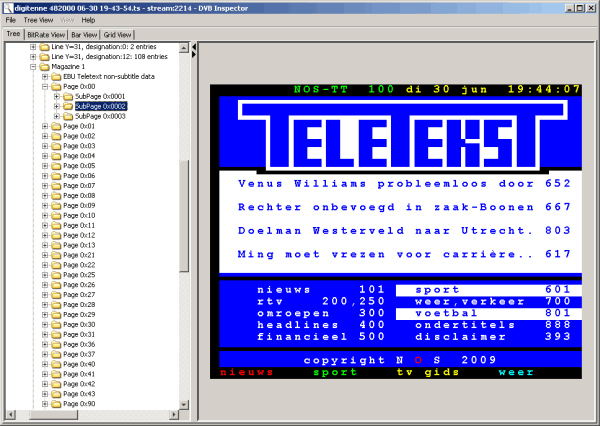
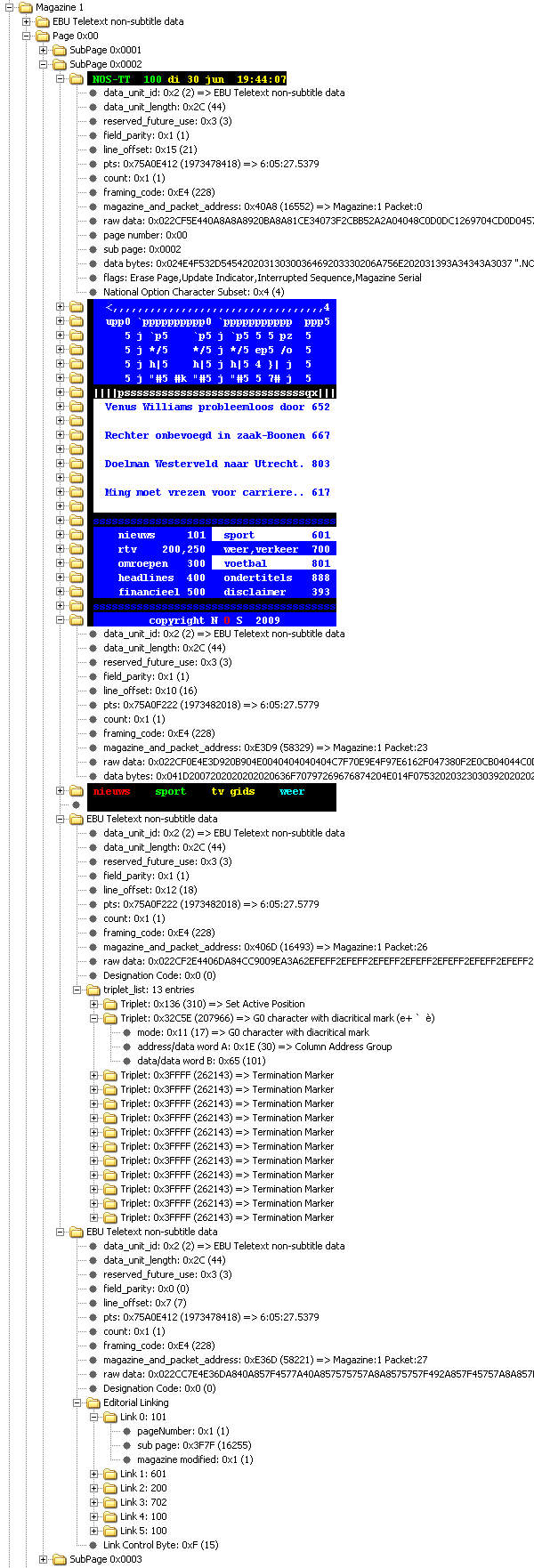
This picture shows page 100,
sub page 2. Notice the teletext block graphics are not supported
in the tree view (left side). Every visible line can be expanded
to see the actual data.
Apart from the normal visible lines this page has two other lines, line 26 is used for special characters (it puts the è in carrière on line 14), line 27 specifies the destinations for the colored buttons at the bottom of the page.
teletext sub titles
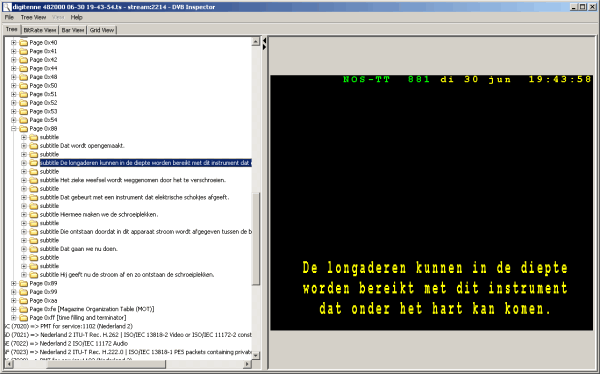
For teletext based subtitles
all subtitles are shown in the order they were transmitted. So it
is possible to browse through the history of sub titles. This can
be usefull to compare them with DVB based titles.
VPS / WSS
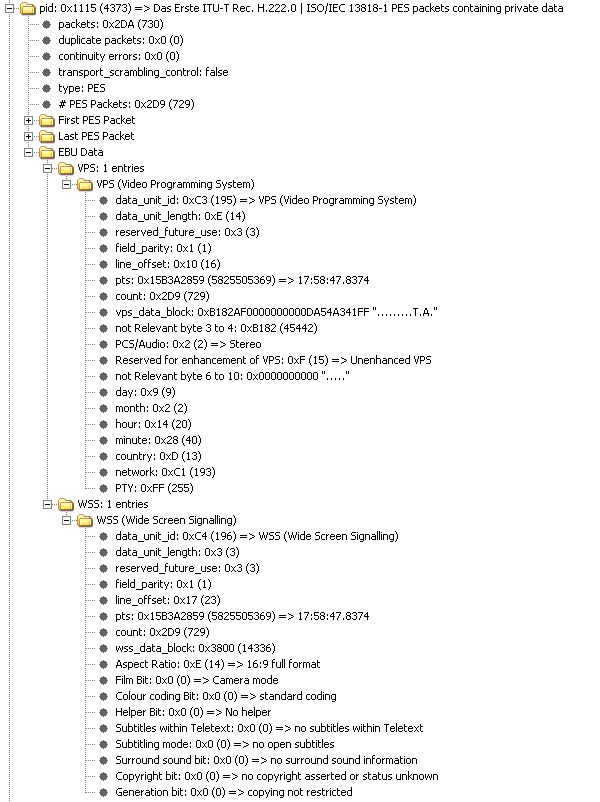
This sample from the german DVB-T
service of ARD shows a separate PID, which contains both VPS and
WSS information.
DVB Subtitles
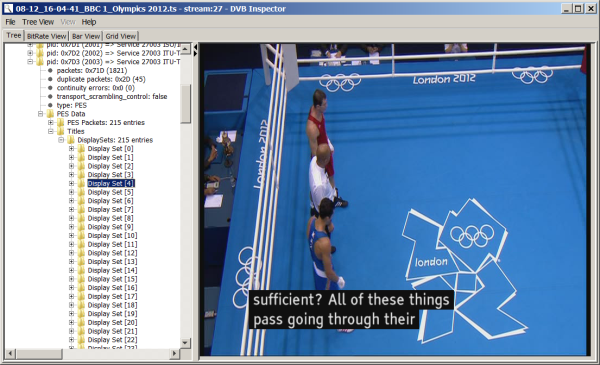
This segment has the same structure as that of teletext/EBU data. First there is a section showing the PES-packets (the "RAW"-data). When a PES packet contains enough information for a complete Display Set a preview of the title will be shown on the right. The seconds section "Titles" shows complete "Display Sets", even when they span multiple PES-packets. Also for Display Sets of type "page update" it will show the complete title, also using segments defined in earlier Display Sets. (This mechanism is often used for subtitling live programs, where separate words are sent as an update to the title already on display.)
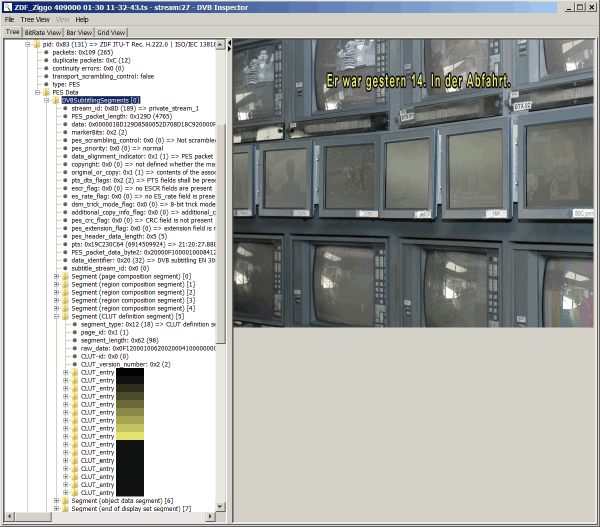
This
picture shows a segment of a DVB subtitling stream of ZDF.
Expanded is the section which defines the color pallette to be
used for subtitling. On the right a preview of what the selected
title looks like. The background picture here is just a place
holder, not part of the actual video. It is there to give an
impression of the readability and transparancy of the title.
MPEG2 Video background
When possible DVB Inspector will try to show the actual video image as background for the title. For this the following conditions have to be statisfied;
- The titles are part of a service with MPEG2 Video
- The MPEG2 video is available (not encrypted)
- The stream with the MPEG2 video has previously been parsed
When all these conditions have been met DVB Inspector will for each title find the closest I-Frame (based on the PTS).
TTML Subtitles
Timed Text Markup Language (TTML) subtitles are sent as XML documents. DVB inspector does not support a preview of what the subtitle will look like, however it can show the XML structure with color coding in the detail window..
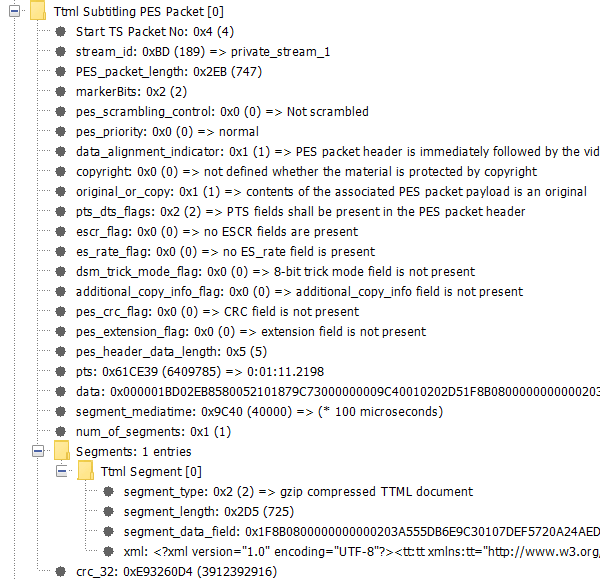
The structure
of the TTML PES packet.
When you select the XML field, the right window will show the XML;
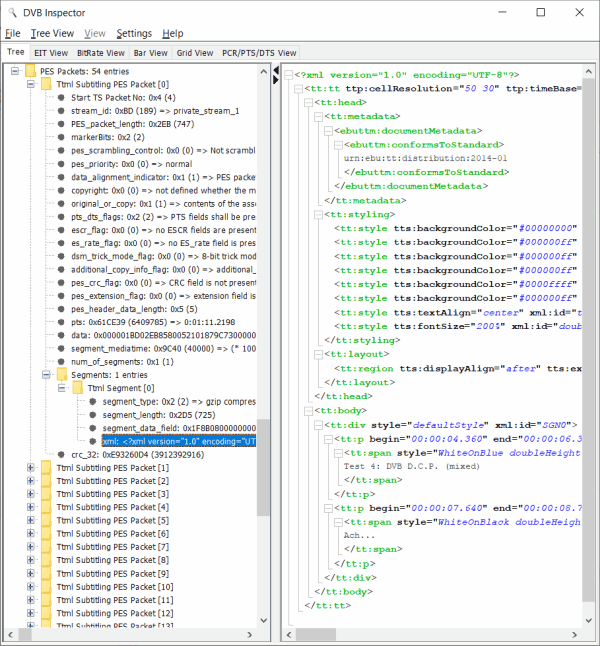
This view shows the
structure of the XML, however some items may be presented in a
different order (like the attributes). The semantics should be the
same.
T2MI
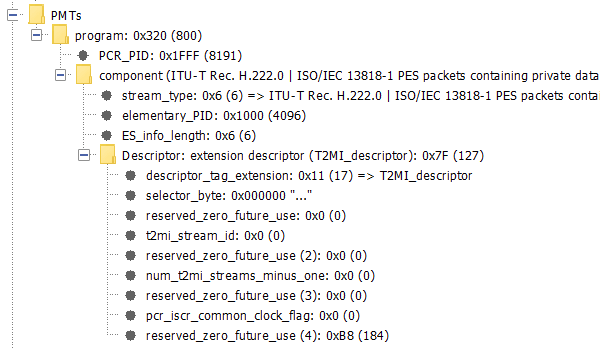
T2MI is
detected when the T2MIDescriptor is present in the PMT.
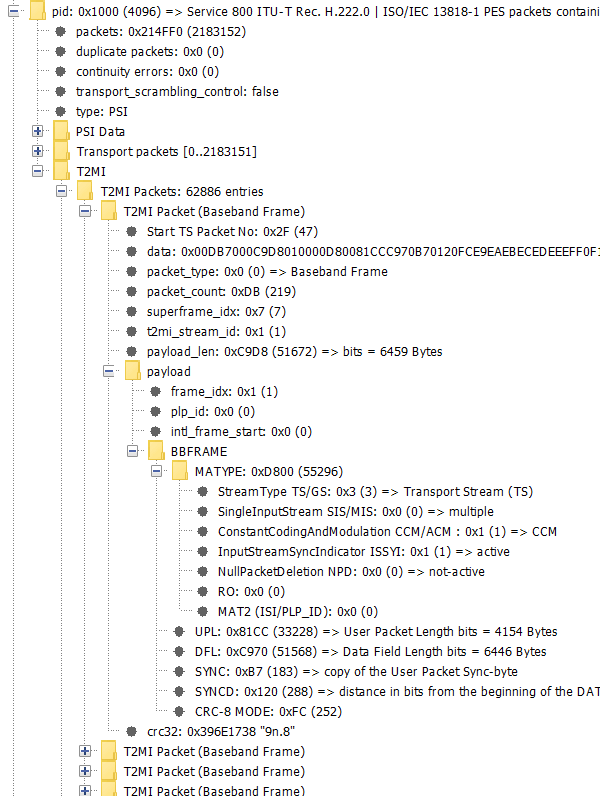
After parsing the PID the
individual T2MI packets are first displayed in the order they
appear in the PID.
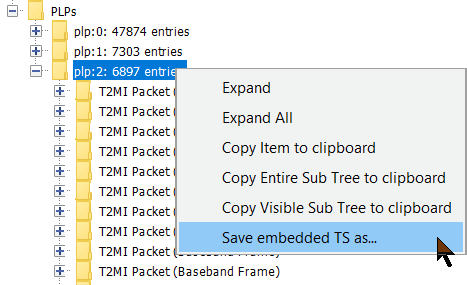 Then follows a section where each PLP is
shown separately. Here also the option is available to save the
contents of a PLP as new .ts file to disk.
Then follows a section where each PLP is
shown separately. Here also the option is available to save the
contents of a PLP as new .ts file to disk.
This page was last modified on 28/06/2023